built wai← Browse every project

Media tools · Built WAI project

Published

PluckVideo

Download authorized public video or audio from 1,000+ site extractors, choose device-ready formats, and process up to five links at a time.

Visit the live site Report a problem

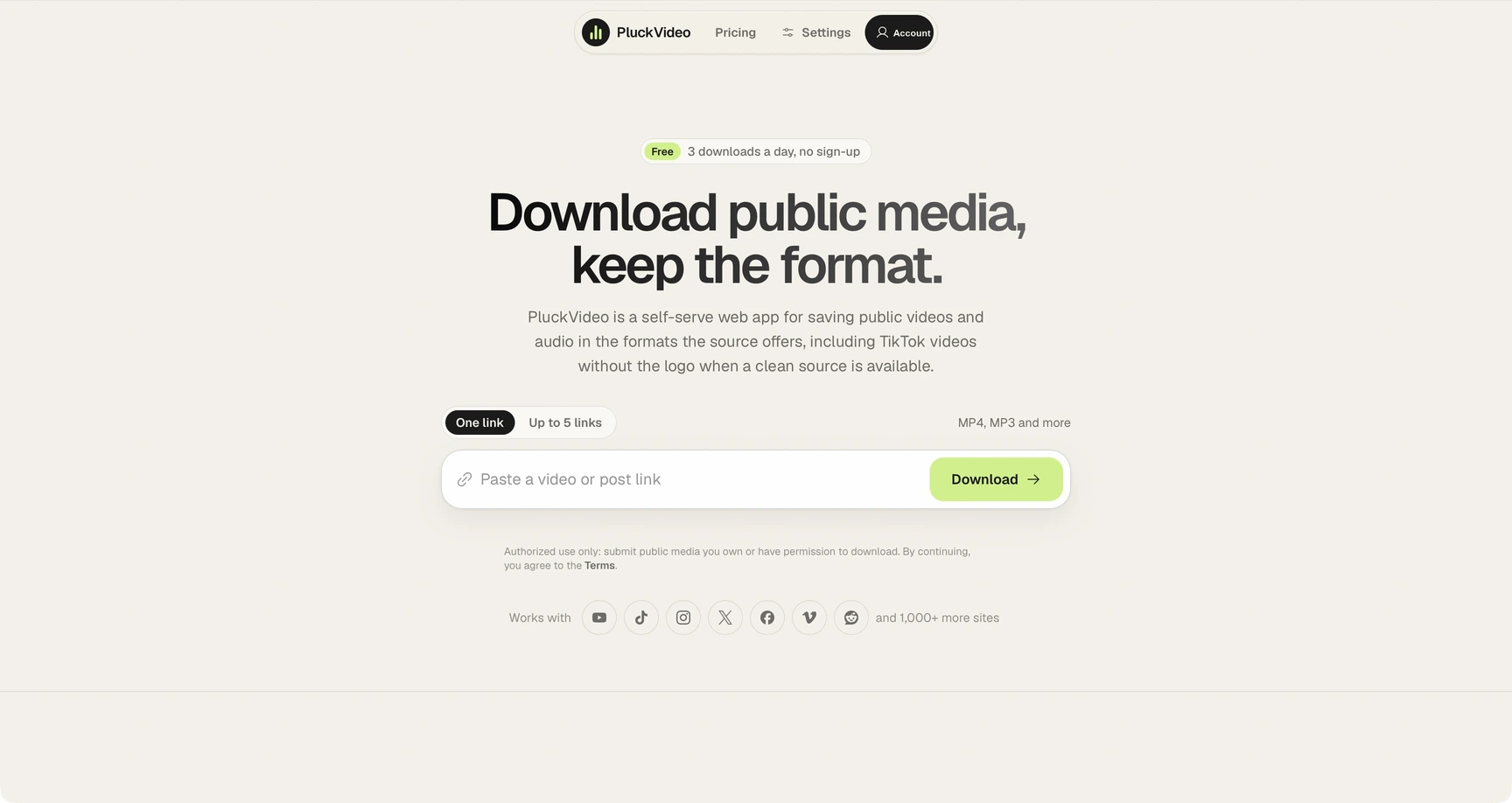
PluckVideo homepage showing its public-media downloader and format picker for 1,000+ site extractors.
Status
Published
Category
Media tools
Tags
video downloader · social media · batch downloads · PWA · audio
Last catalog update
Aug 30, 2026

Project notes / Media tools

What PluckVideo is built to do

Overview

PluckVideo is a browser tool for downloading video or audio from public social-media links. It supports a direct paste-and-process workflow and can provide clean TikTok video files without a watermark when that version is available from the source.

The project is designed for public media that a user is permitted to save. Keeping the workflow in one focused page makes it easier to choose the desired format without navigating a full editing suite or installing a dedicated desktop application.

Key capabilities

  • Paste a public social-media link to begin
  • Video and audio download options when supported
  • Clean TikTok video without a watermark when available
  • A lightweight browser workflow with no editing-suite setup

Who it is for

PluckVideo is for creators, researchers, and everyday users who need an offline copy of public media they are authorized to download. Copyright, platform rules, privacy, and the original creator's rights still apply to anything saved through the tool.

How to explore it

Copy the public social-media URL, open the live downloader, and paste the link into the available field. Choose video or audio when options are offered, download the resulting file, and use it only in ways allowed by the source and applicable rights.

Practical notes

Use the original post and platform controls as the first source of truth about availability and permission. A downloadable file is not automatically licensed for reposting, remixing, or commercial use. Keep attribution and usage rights in mind, avoid private or access-controlled material, and retain source details when saving media for legitimate research or reference.
Release history

What changed over time

  1. Accounts and usage-based plans

    PluckVideo added accounts, synced usage limits, a free tier, and pricing for Creator Pass and Plus.

    What changed

    Added signed-in allowances across devices, three free completed downloads per rolling day, a seven-day Creator Pass, monthly or annual Plus plans, and batch analysis for up to five links.

    What we learned

    A simple completed-download metric makes limits clearer than feature-gating the core workflow.

Quick answers

PluckVideo FAQ

What does PluckVideo do?

PluckVideo is a browser tool for downloading video or audio from public social-media links. It supports a direct paste-and-process workflow and can provide clean TikTok video files without a watermark when that version is available from the source. Its key capabilities include paste a public social-media link to begin, video and audio download options when supported, clean tiktok video without a watermark when available.

Who is PluckVideo for?

PluckVideo is for creators, researchers, and everyday users who need an offline copy of public media they are authorized to download. Copyright, platform rules, privacy, and the original creator's rights still apply to anything saved through the tool.

How do I get started with PluckVideo?

Copy the public social-media URL, open the live downloader, and paste the link into the available field. Choose video or audio when options are offered, download the resulting file, and use it only in ways allowed by the source and applicable rights.

Direct line

Send project feedback